Category Archives: Art Quilts

“Meet the Author” event at Silverdale Quality Sew and Vac

I am pleased to announce that the Quality Sewing and Vacuum store in Silverdale, in addition to offering several of my classes this fall, has asked me to present a “Meet the Author” event at the store August 7, 2013 from 10:00 am to 12 noon.   I will present a trunk show of quilts and talk about the inspiration behind the quilts, plus briefly demonstrate some binding and quilting techniques that are included in my classes.  If you are curious about the classes but not sure they are right for you, this is a good opportunity to get more information.

There will be lots of time to ask questions, and to sign books for those who are interested.  I will be offering several books and patterns as door prizes, and the store will offer refreshments.  Contact the store directly to reserve a spot or ask any questions about the event.

Quality Sewing and Vacuum  10876 Myhre Place NW, Silverdale 98383

Phone: 360-692-2992.  web site:  www.qualitysewing.com

A new way to label your quilts

I just saw this on an Episode of The Quilt Show and it is a really great idea, so I am sharing it here. You know those little square black and white codes that you are seeing everywhere in magazines, on store ads, etc? You can now put one on your quilt, in a scrapbook, or in a greeting card!

It’s called a QR code (abbreviated from Quick Response Code) and is an optically machine-readable label that is attached to an item and that records information related to that item. For your quilt, it can be an audio message, a video message, a photo, or text.

Go to http://www.stkr.it for more info. You can get an iron on or a sew in QR label to apply to your quilt. You can upload or record your message with your smart phone (and their free app) and then it can be read by anyone with a smart phone. It can also be accessed by taking the number on the label and going to the stkr.it website, where you can enter the number and get access to the message that way.

If you are a member of The Quilt Show, they have a video showing use of the product taken at the recent Quilt Market in Portland.

Mariner’s Alphabet Pattern published

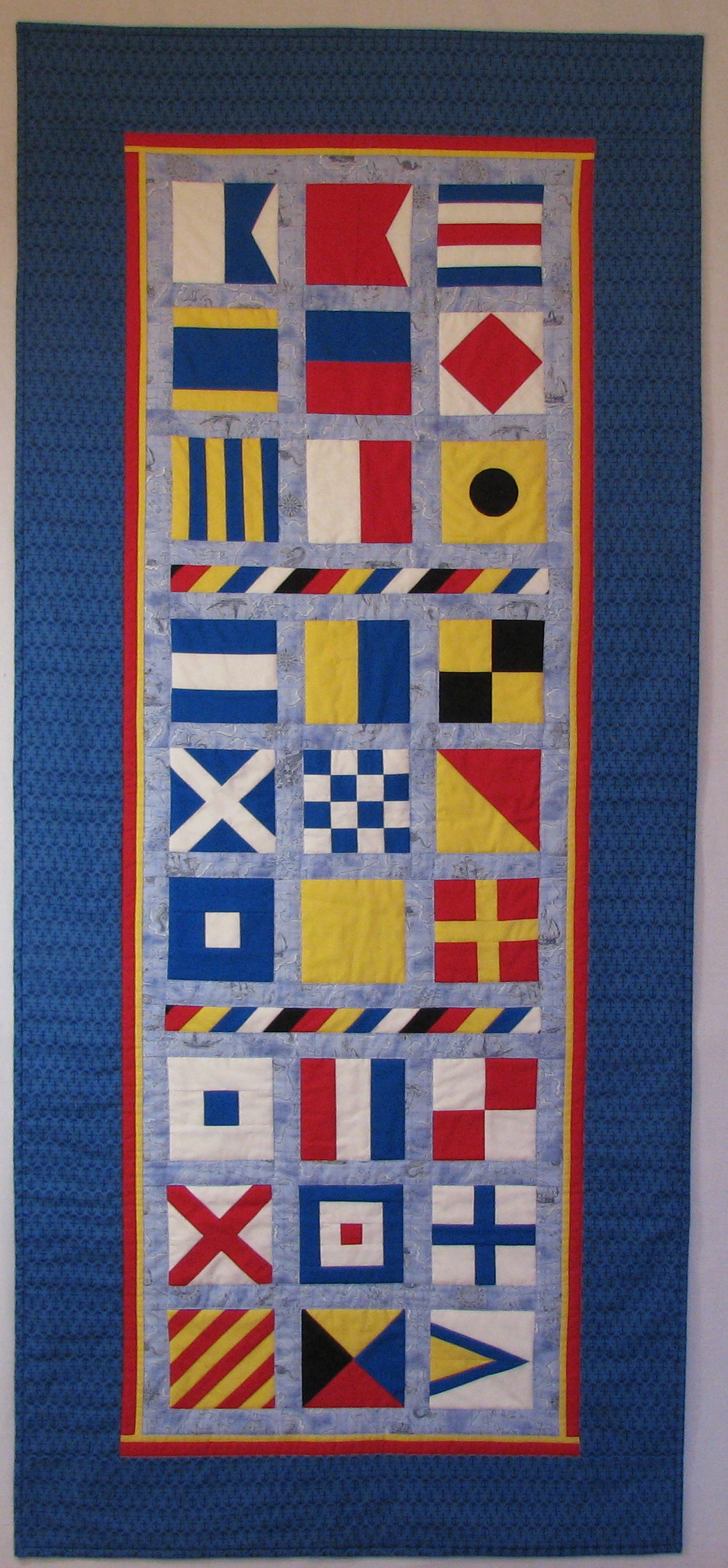
I am pleased to announce that I have published the pattern for my Mariner’s Alphabet quilt. This is a really fun quilt to make. The blocks are simple foundation (paper) piecing. The link to Pattern Spot where it can be purchased is on the Pattern page of this blog.

Mariners Alphabet banner

Mariner’s Alphabet 26 inches by 62 inches

Port Gamble Fiber and Fabric Show May 18-19

Today I visited the Port Gamble Fiber and Fabric Show.  Lovely old quilts displayed in the beautiful church, and new quilts and fiber art on display in the Pavilion along with a spinning demonstration.  It is a very relaxed affair with no admission fee and a modest crowd – no parking problem.  And of course we must stop in at The Quilted Strait for a little fabric shopping in the bargain.  Open tomorrow 10-3 if you are nearby.

The historic St. Paul's Church in Port Gamble

The historic St. Paul’s Church in Port Gamble


Old and new quilts on display in St Paul's Church

Old and new quilts on display in St Paul’s Church


A beautiful Port Gamble  Rhody in bloom!

A beautiful Port Gamble Rhody in bloom!


Use of “negative space” in quilts

I am taking a class right now called “Art for Quilters”, taught by Marilyn Belford ( http://www.marilynbelford.com ) at Quilt University ( http://www.quiltuniversity.com ). One of the first homework assignments is in the use of “negative space” – that is, the space outside the design elements where there is no piecing or applique. Negative space is also one of the common elements of the Modern Quilting movement so popular currently. Although they don’t name it, traditional quilters often use negative space in the form of alternating plain blocks, plain setting triangles, or sashing. Negative space gives the eye a place to “rest” as it moves around the quilt. It helps emphasize the importance of the positive elements of the quilt.

I am pleased with the impact that can be achieved with simple geometric shapes and using a lot of negative space. Here are some examples from my class homework.

First, I cut a rough circle was out of a lavender fabric, cut it into irregular pieces, and then scattered them about on a purple background:

Cut up circle with negative space

Circle cut up for negative space exercise

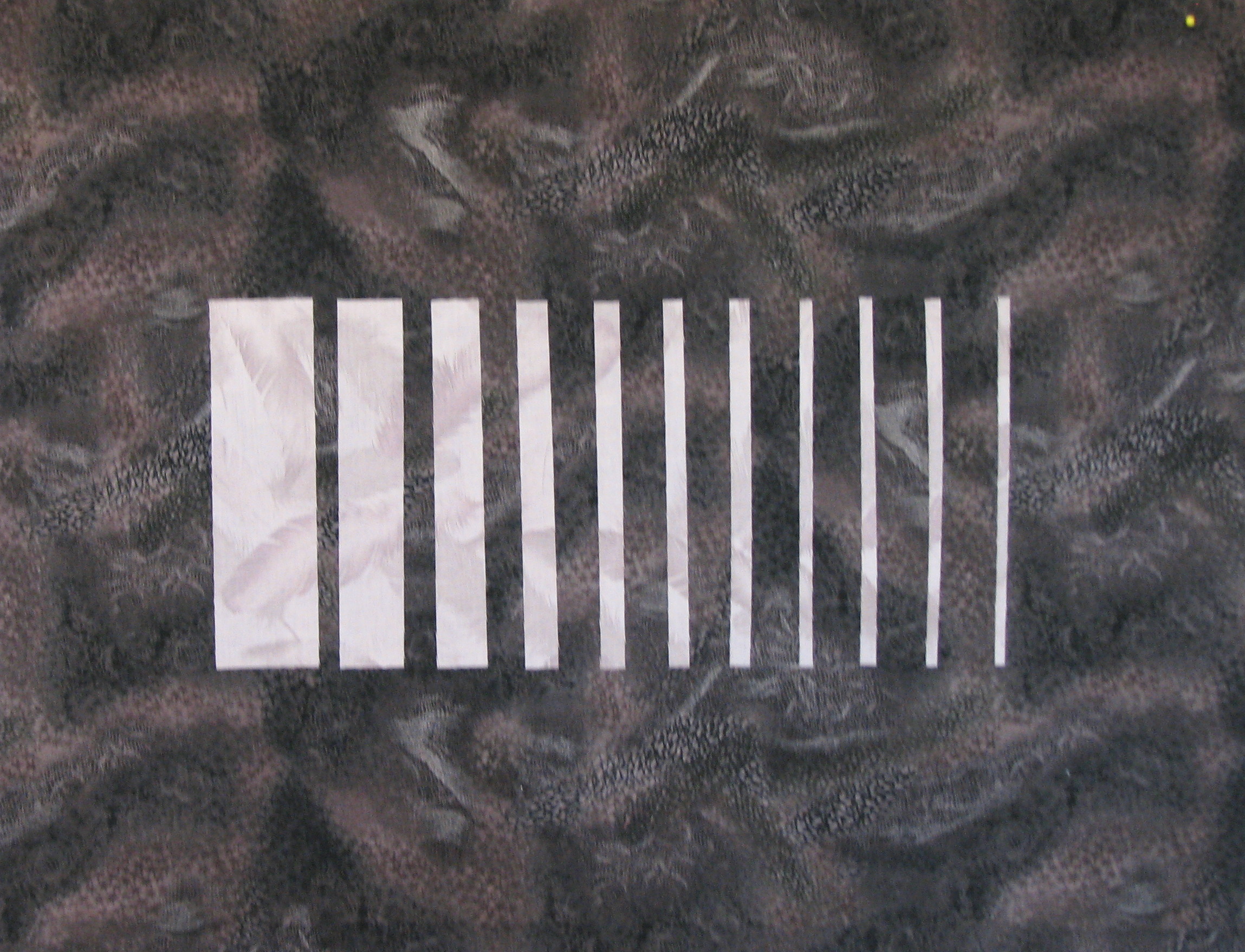
Then, I cut a light grey square into strips and placed them on a very dark grey background:

Square cut in strips showing negative space

Square cut in strips for negative space exercise

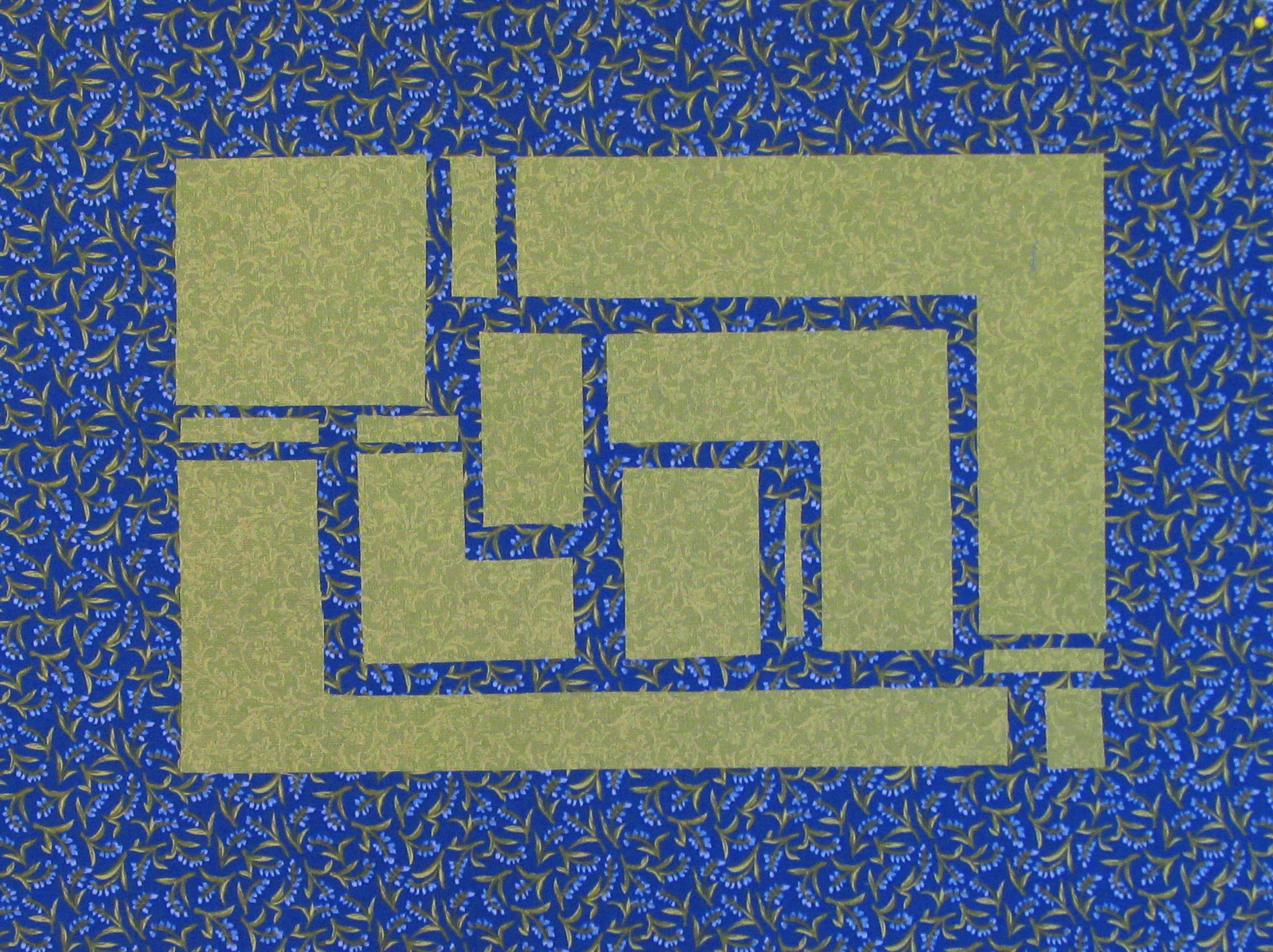
I cut a green rectangle into smaller rectangles and other shapes and placed them on a blue print background:

Rectangle cut up for negative space exercise

Rectangle cut up for negative space exercise – I had to do some additional cutting to make the pieces fit on this one

And I cut up several black triangles and placed them on a marbled grey/mauve background:

Cut up triangles for negative space exercise

Cut up triangles for negative space exercise – this one looks sort of Native American to me

Aren’t these interesting? With some appropriate borders and free motion quilting in the negative space, I think these are going to make dramatic little quilts. I will report more progress as I continue.

I am very pleased with this teacher and the class materials so far. Marilyn Belford also teaches a class called Realistic Fabric Portraits at QU that starts June 28. She has a book available on the same topic Portraits For Fabric Lovers  (if you click on the name here it will take you to Amazon to buy the book, so don’t click unless you want to do that).

I was saddened to find out that Quilt University – where I have taken many classes and learned so much – is shutting down at the end of this calendar year. It was founded by Carol Miller who recently died after a short illness. Her husband Roger, who was always the technical guy behind the scenes, has decided to have a graceful shutdown and allow all us QU addicts to take the classes we have been putting off. I am going to be very busy for the next few months trying to do just that.

Quilt Show in Port Townsend

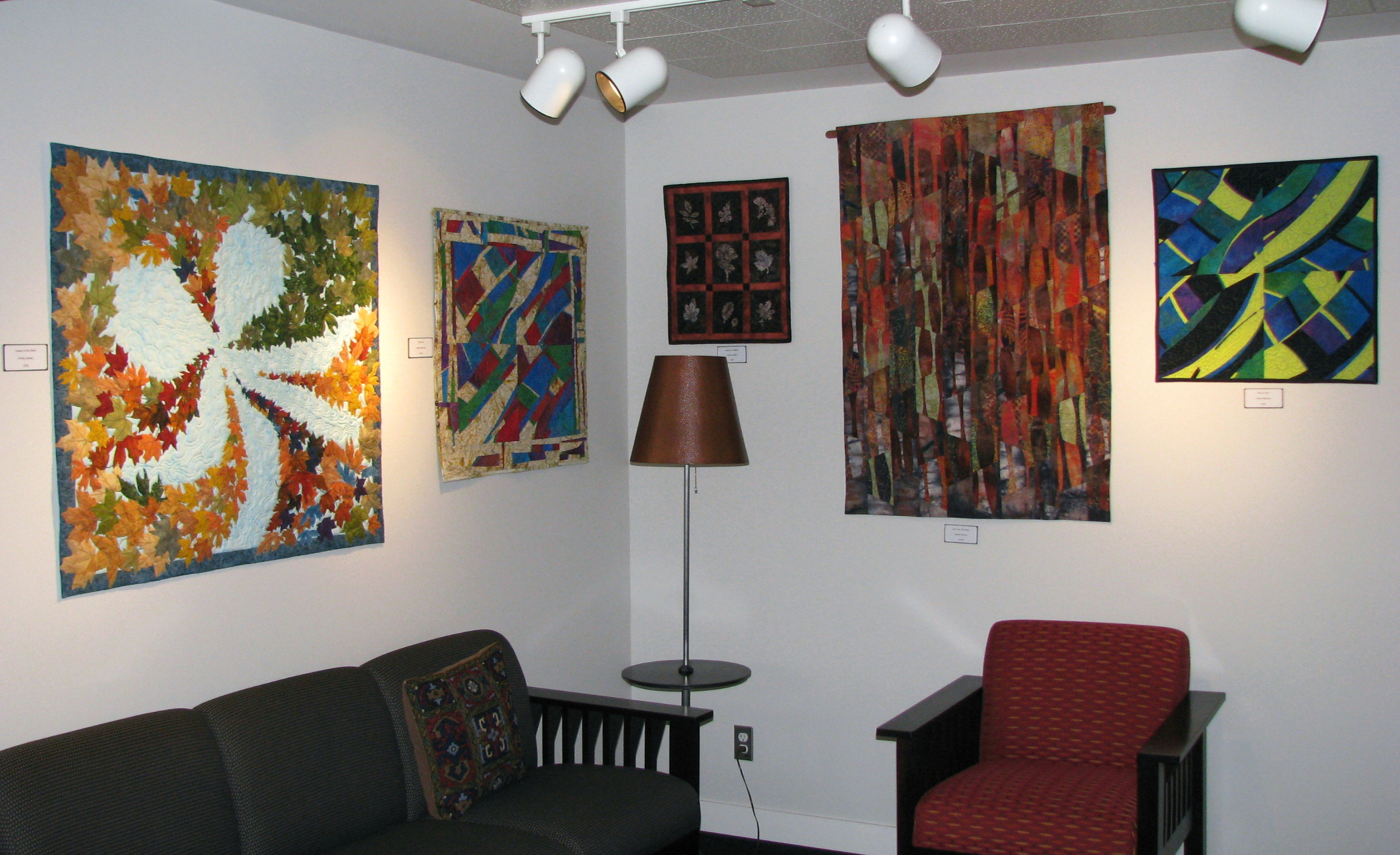
Yesterday my friend Charlie Petersen and I hung more than 35 of our quilts at the Uptown Dental Clinic in Port Townsend, Washington. The quilts will be on exhibit from April 15 to July 11 this year. If you are in the area, do come to the show.  Details are under the Calendar page.

Here are three photos after we hung the show. The lighting isn’t quite right yet — the Clinic staff will adjust the lighting next week, now that the quilts are hung. But I took these photos today as we finished putting up the quilts.

The waiting room seating area

Uptown Dental reception area aa and trim Apr 12 2013

The main hallway – quilts from one end to the other.  The Clinic staff loves all the color quilts add to their environment.  We love them for giving us the opportunity to take our quilts out and show them off!

Uptown Dental main hallway aa and trim Apr 12 2013

And a shot of one area in the hallway.  Charlie has been exploring modern quilting lately; the one on the right is one she finished a couple of months ago.

Uptown Dental main hallway colorful quilts aa and trim Apr 12 2013

© 2013 by Shirley Sandoz and Mystery Bay Quilt Design.  All rights reserved.

Making your quilt pictures better

As I have been building this blog, I used many photographs of my quilts. These photographs had been taken at different times with different lighting. The light in my quilting studio is pretty good, but is only really good for photography on sunny days. So there was a lot of variation in the quality of my photographs, and some have much better color accuracy than others.
For a good article about quilt photography, go to www.adventurequilter.com/e-Learning/Articles/Photography_Quilts.html . Before you worry about the details I am discussing here, you need to do the best you can to get a quality photograph. I am going to talk about what to do with that photograph, once you have it, to get the nicest picture to meet your needs.
When you are entering a quilt in a juried competition, the entry requirements will state that you must submit photos that show the entire quilt including the edges, and then one or more closeup photos to show detail.
For use other than competition, it is often better to crop out the edges of your quilt to avoid the distraction of the background. You will have to use your own judgment to decide whether or not to crop.
My focus here is on the use of two features of your photo editing software – the ability to trim or crop the photo, and the ability to adjust the exposure. If you have a Windows based computer, you probably have software called Windows Photo Gallery that can do these two things.  If you have a Mac you will have something similar.  Or you may have software that came with your digital camera. Adobe Photoshop or Photoshop Elements can do this also, as can most similar packages. My point is, your computer can probably do this even if you don’t know it can!
First, open up a photo in whatever software you are using. Look for a menu selection that says “Fix” or “Edit”. Under that menu, there will be a choice to crop or trim the photo. The other option – auto correct or autoexposure – is probably also there. And you may have many other choices. But I am only going to show examples using these two features.  You will have to learn how to use the trimming or cropping feature of your software.  It’s usually pretty easy and you will probably just have to draw a box around the parts of the photo you want to keep, push the “trim” or “crop” button, and then approve the result.  The autocorrection or autoexposure is even easier; you just push the button and watch what happens.
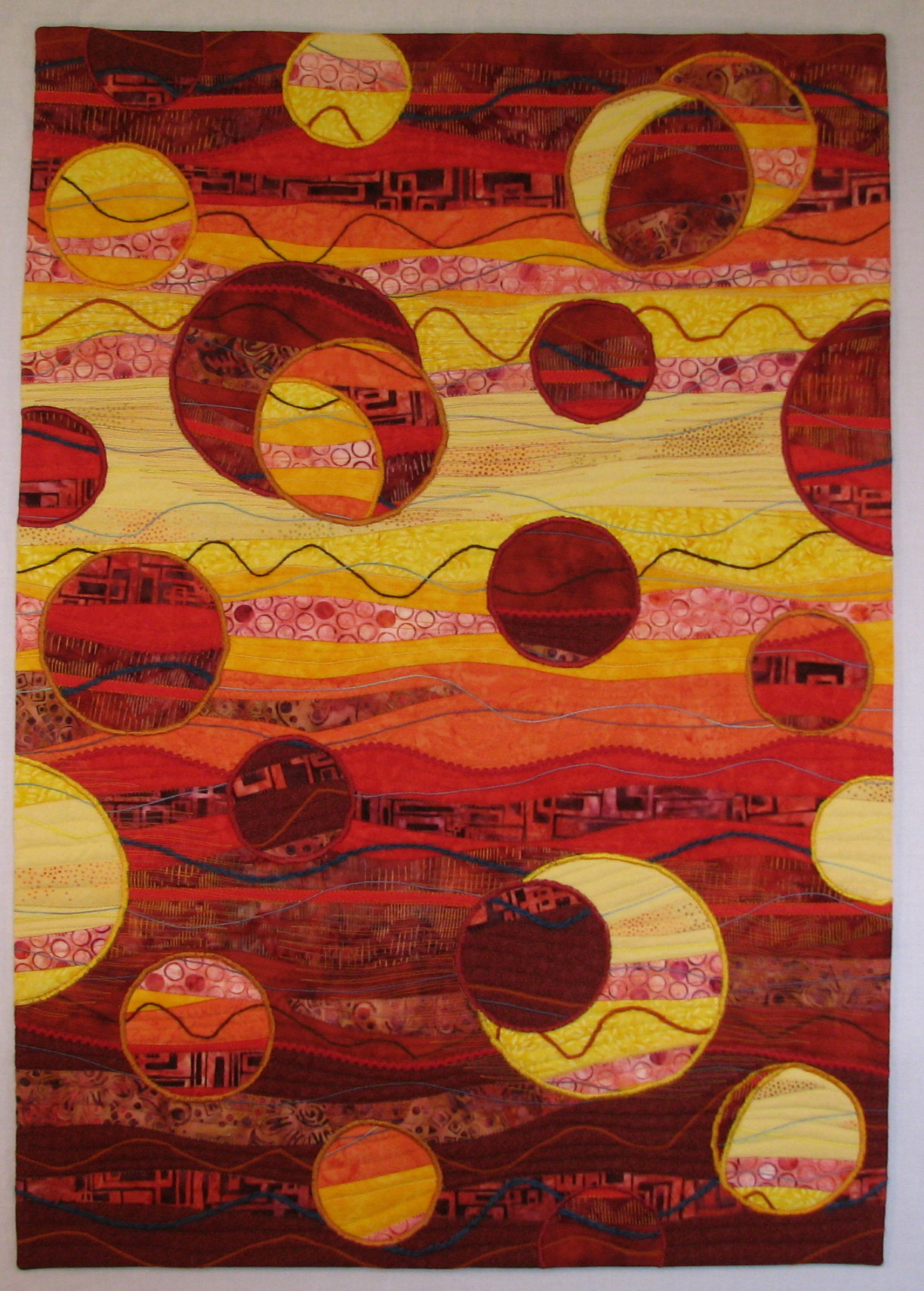
First, my quilt “Fireballs” on the left as I photographed it on my design wall.  The photo on the right shows the photo cropped as it would be for a competition, with the edges showing.
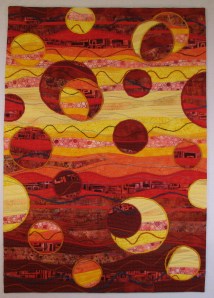
IMG_4330    Sandoz Fireballs 2 Apr 9 2013

And below on the left as cropped for use here in my gallery. See how much nicer it is without the distracting background?  And below on the right is the last magic,  when I used the auto exposure correction feature. I selected the autocorrect (or autoexposure, whatever your software calls it) and basically just pushed the button. The amount of improvement you get varies with each photograph. Sometimes it is an astounding improvement, sometimes it is subtle, and occasionally the auto correction makes the photo worse. When that happens, just cancel out and go back to the original image.

Sandoz Fireballs 2 trimmed for blog but not corrected Apr 9 2013                 Fireballs aa and trim Apr 7 2013

Now here is what happened with one of my little Quiltangle pieces when I applied the autocorrection. On the left below you see the original photo.  On the right is the photo with auto correction.

Zentangle x Feb 24 2013    Zentangle 1 aa  Feb 24 2013

Now it is possible that I could have fixed this in the original image if I had adjusted the white balance on my camera.  So far I haven’t figured out how to make the white balance feature on my camera work, so this is the best I can do right now.

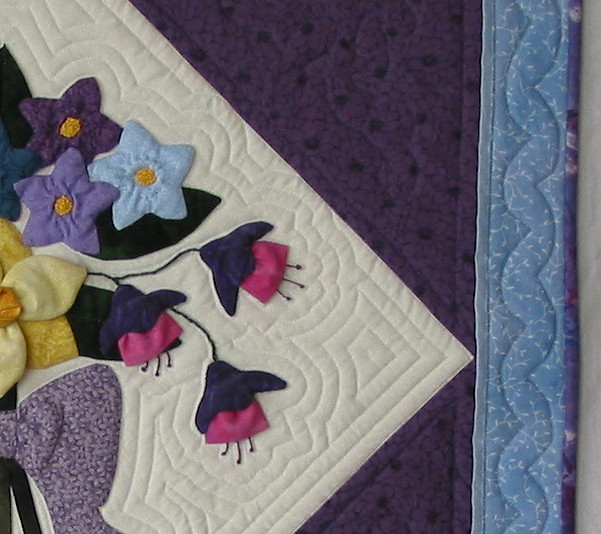
Here’s another example.  Look at the difference in the photo I use for my Quilting with a Walking Foot class.   On the left is the original photo.  On the right is after a little bit of cropping and the auto exposure correction.

3D flowers closeup      3D flowers closeup aa and trim

So try these two features of your software package next time you are using a quilt photo.  I think you will be pleasantly surprised!

© 2013 by Shirley Sandoz and Mystery Bay Quilt Design.  All rights reserved.